A booking system is ready to launch only when the business has tested the complete customer journey, the staff workflow and the main failure paths. This practical guide helps you build an acceptance test plan covering availability, time, capacity, notifications, payments, personal data, integrations and ownership after launch.
1. Begin with an observable customer journey
Acceptance testing is not a casual tour of the calendar. It is a defined journey from the moment a person opens the booking page to the point where the same booking can be found by the customer and the business. Write one normal path before testing: select a service, date and time; provide only necessary details; review the summary; confirm the choice; and receive an unambiguous result. For every step, record the expected screen, the information that should be stored and the next action. Two testers should be able to follow the same path and compare evidence rather than relying on memory.
Describe the business-side journey separately. Where does the new booking appear? Who receives an alert? Who checks payment, changes an appointment or contacts the customer when something fails? A successful message on the website is not enough if staff cannot find the booking. The acceptance criterion must connect both views and identify the system that holds the authoritative status. That prevents a technically working form from creating an operational process based on guesswork, inbox searches and undocumented manual corrections.
2. Turn requirements into testable rules
Words such as easy, fast and clear describe a desired experience, but they are not acceptance criteria. Convert them into observable rules. A customer sees only bookable times. The review page shows the service, duration, location and final amount. Once a slot is confirmed, another customer cannot take it. An error message identifies the field and explains the correction. For every rule, write the actions, expected result and evidence, such as a screenshot, booking reference, message or event record.
Keep one requirements list that the service owner and the implementer can both understand. It does not need to repeat the full technical specification. It must explain how the business will recognise a valid outcome. If a service lasts sixty minutes and needs a fifteen-minute buffer, prove that the next start time does not overlap. If two specialists can work at once, test a third request for the same period. These business combinations commonly reveal more consequential defects than a visual review of the calendar alone.
3. Test combinations of services, duration and capacity
Booking defects often appear in combinations rather than a single field. Create a compact matrix of services, locations, staff, duration and simultaneous capacity. You do not need every theoretical permutation, but each type of rule and each boundary should be represented. Test the shortest and longest service, the first and last appointment of the day, one and several resources, and in-person and remote delivery when both are offered. The result must match the real operating model, not a simplified assumption made during configuration.
Record which source determines availability. If the booking system reads a staff calendar, verify that a private busy event blocks the time without exposing its subject to customers. If a room or piece of equipment sets capacity, prove that incompatible services cannot use it simultaneously. Illustrative example: two consultants may work at the same time, but the office has one equipped room. The test must demonstrate that the limiting resource is enforced instead of merely counting available staff.

4. Exercise time zones, daylight saving and date boundaries
Time defects can remain hidden while local customers book ordinary weekdays. Test from a device in another time zone, across a daylight-saving transition, at month end and at year end. Customers should know which location's time they are choosing. The confirmation page, email, calendar invitation and staff view must refer to the same instant even when different zones are displayed. Do not use an unexplained label such as local time when remote customers can make appointments.
Keep evidence of the selected time, browser time zone, received message and staff calendar entry. Also test booking boundaries: same-day availability, the furthest future date and the exact minimum-notice point. If the rule says at least twenty-four hours in advance, agree whether that means a rolling twenty-four hours or the previous calendar day. An ambiguous sentence can cause a customer dispute even when the software consistently follows one interpretation.
5. Challenge availability and double-booking controls
Have two testers open the same free slot and attempt to confirm it at nearly the same time. A normal acceptable outcome is one confirmed booking and a clear message telling the second person that the slot has just become unavailable. It is not sufficient for the calendar to hide the slot only after a refresh. The server must prevent a contradictory final state. Repeat the scenario with a slow connection, a double click, the browser Back button and a retried request after an apparently stalled response.
Agree what happens when a calendar or payment service responds slowly. Is the time held temporarily, for how long, and when does it become available again? Does the customer see pending confirmation rather than a misleading success message? Put these states in the acceptance criteria. Staff then know when the process should finish automatically and when a manual check is required. Duplicate prevention is both a technical control and an operating rule.
6. Validate input in a way customers can understand
A booking form needs checks for format and meaning. An email may have a valid shape, while an end time still cannot precede its start. The OWASP input validation guidance recommends defining allowed values, ranges and relationships between fields, with validation on the server. Test empty required fields, excessive text, an invalid date, an unknown service identifier and a modified request. Browser checks help the person correct mistakes, but cannot protect the business process by themselves.
An error should identify the problem and tell the person how to correct it. W3C WAI guidance recommends feedback near the relevant control and an overall summary when several errors exist. Test with a keyboard and a screen reader: focus should reach the error, labels should be associated with controls, and colour should not carry the only indication. Correct the values and submit again. Valid information already entered should not disappear without a sound reason.
7. Verify the amount, payment and booking summary
When a booking includes payment, every stage needs one understandable amount and consistent conditions. Verify the service price, options, discount or deposit only when they are genuinely configured. Before payment, the summary should state what is booked and what the payment means. Afterwards, compare the payment provider result, the booking status and the customer record or receipt. This guide does not set tax or legal wording; the business should confirm those matters with the responsible specialist.
Test failed, cancelled and delayed payments. Closing the payment window must not produce a fully confirmed booking when the business rule requires payment. A successfully collected amount must not be left without a traceable booking. Document reconciliation: where staff find the payment reference, how they locate the related appointment and who handles a mismatch. Illustrative example: payment succeeds, but the browser disconnects before returning to the site. The system should recover the true result from a trusted provider notification rather than asking the customer to pay again.

8. Check confirmations, reminders and calendar invitations
After an action, the customer must receive a definite status: confirmed, awaiting confirmation or unsuccessful. The same meaning should appear on the page, in email or text messages and in the staff view. Verify the service, date, time, place or connection details, booking reference and next action. Do not put sensitive information in the subject line. If delivery is delayed, the result page should still provide sufficient evidence and a support route.
Do not wait several days to test reminders. Use a shortened interval in a test environment or a supported test clock, then restore the production setting. Reschedule and cancel the booking and prove that an obsolete reminder is not sent. Test adding, updating and cancelling the calendar invitation in the calendar applications relevant to the team. The wider communication design can be compared with the CANIMAPS DIGITAL article about booking confirmations, reminders and rescheduling.
9. Exercise rescheduling, cancellation and no-show handling
Creating a booking is only the beginning of the process. Test what customers may change, until when, and which conditions appear before the action. Rescheduling should reserve the new slot and release the old one as a single safe operation. If the new time has become unavailable, the existing appointment should not disappear. Cancellation should produce a clear final state for the customer while retaining the operational evidence required by the approved retention policy.
A no-show is an operational path, not merely a label. Agree who can set the state, whether the customer receives a message, how a deposit is handled and what remains in reports. Do not invent these rules during implementation. Test them with synthetic customer details and different roles. An administrator may correct an exceptional error, but a staff member who does not need broad payment information or complete customer history should not receive it merely for convenience.
10. Verify data minimisation and access rights
A booking form should collect information needed to provide the selected service. The EDPB guidelines on data protection by design describe privacy measures from the planning stage and privacy-friendly defaults. For each field, ask why it is needed, who can see it, how long it remains and how it can be corrected or removed. If the business cannot justify an unrestricted notes field, narrowing or removing it is safer than inviting customers to submit any information.
Create at least two test roles, such as receptionist and administrator. Verify what each role can see in the list, export, notification and detail view. A direct link to a booking must not bypass authorisation. Test deactivating a former staff account and the password reset route. Logs do not need to copy an entire customer message when a booking reference, time and error code are sufficient for diagnosis. These checks do not certify legal compliance, but they reveal clearly excessive or uncontrolled data use.
11. Test integrations and failure modes
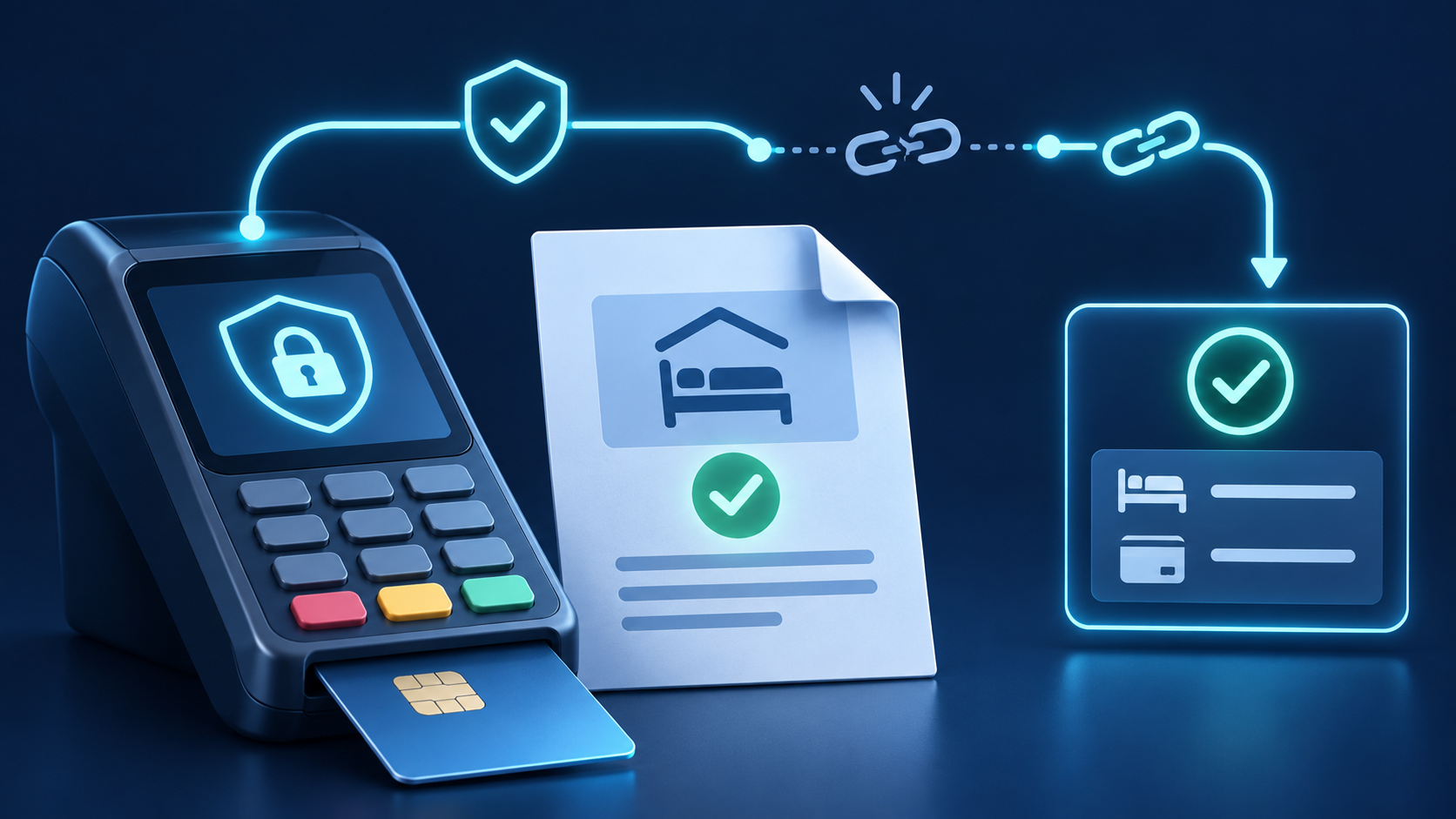
A booking flow may connect to calendars, email, payments, customer records or video meetings. Draw a small event map: which system issues the booking reference, which is authoritative for time, what sends the message and how a result returns. For every connection, test a successful response, delay, duplicate notification, invalid response and temporary outage. The aim is not to simulate every imaginable incident. It is to prove that a dependency cannot silently create two conflicting states.
Assign ownership for an integration failure. Who receives the alert, how quickly is it checked, and where do incomplete operations appear? Automated retries must be limited and safe against duplicates. A manual fallback must be written down instead of living in one person's memory. Illustrative example: the calendar provider is temporarily unavailable. The booking becomes needs review, the customer is not promised an unconfirmed time, and staff receive one task with the booking reference. When service returns, the operation completes once.
12. Test mobile use, keyboard access and a slow connection
Many customers will book on a phone while being interrupted. Test a small screen, enlarged text, portrait and landscape orientation, the on-screen keyboard and a slow network. Calendar days, times and actions must remain reachable without horizontal guesswork. A fixed button should not cover an error. When a session expires, explain what happened and preserve only information that can be restored safely. A slowly loaded result page must not push customers towards a second payment.
Complete the journey with a keyboard: choose a service, navigate dates, select a time, open terms and confirm. Focus order should follow the visible sequence, and the chosen time should not be distinguishable by colour alone. A brief screen-reader check can reveal unnamed calendar cells or unexplained icons. Accessibility testing is not an optional polish step. It often exposes general usability defects such as vague button text, a missing heading or confirmation that is never announced.
13. Prepare synthetic data and a controlled test environment
Use clearly labelled synthetic customers, a company-controlled email address and the payment provider's test mode. Do not use a real customer's personal details to check a new flow. Give test bookings a recognisable prefix so they can be found and cleaned up. The environment still needs to mirror material production rules: time zone, service duration, resource capacity, message templates and role permissions. Otherwise a successful result proves only a different configuration.
Before launch, perform one restricted production check with a company-controlled contact when the chosen solution and payment process allow it. Afterwards, look for traces in the calendar, email, payment dashboard, analytics and customer records. Keep a cleanup list, while retaining any evidence needed to investigate a failure. Record which environment and configuration version was tested. A result from yesterday is insufficient if availability rules or a notification template changed today.
14. Record defects so another person can reproduce them
A useful defect report includes the environment, prerequisites, exact actions, actual result, expected result and evidence. Add the time, booking reference and role without copying unnecessary personal information. Assess the impact on the customer and the business. A defect that permits double booking or collects money without an appointment usually blocks launch. A small spacing issue may wait if it does not prevent the task. Priority should reflect risk and recoverability instead of visual prominence alone.
After a fix, repeat the original scenario and the nearest related scenarios. A time-zone correction also requires checks of email and calendar invitations. A payment retry correction requires another double-click and network interruption test. Record the tested version and the person who accepted the result. This prevents a ticket from being closed because the implementer saw the right result locally while the business acceptance condition remained unverified.
15. Define launch gates and reasons to postpone
Agree who can declare the flow ready. The implementer normally confirms the build, the process owner verifies operating rules, and the person responsible for customer communication approves wording and conditions. Mark mandatory scenarios, unresolved defects, temporary workarounds and owners. Postpone when the business cannot safely create, change or cancel a booking, when systems disagree on status, or when staff cannot identify and handle a failed operation.
Not every imperfection has to stop the launch. An accepted deferred issue has low impact, a documented workaround, a named owner and a target date. We will see after launch is not a risk assessment. Prepare a rollback route: how to hide or disable the booking action, inform customers and preserve confirmed appointments if the new flow must pause. This does not assume failure. It lets the team act deliberately when real traffic reveals an unseen condition.

16. Illustrative example: a service business test day
Illustrative example: a company offers thirty- and sixty-minute consultations with two specialists, one shared room and required prepayment. The team prepares five core journeys: normal booking, competing requests for the last slot, failed payment, rescheduling and cancellation. Boundary checks cover the first and last appointment, a fifteen-minute buffer, another time zone and an interrupted mobile connection. Every case produces a booking reference, screenshots and a staff-calendar check.
The first run reveals that both specialists can reserve the only room and that a cancelled appointment still receives a reminder. These issues block launch. After correction, the team repeats related paths, verifies message templates and performs one controlled production booking. The process owner signs the acceptance list, while support receives a short guide for incomplete payments and calendar errors. This is not a customer case study and makes no claim about a CANIMAPS project; it shows how business rules can be connected to evidence.
17. Treat the first week as controlled observation
Acceptance testing reduces risk but cannot reproduce every device, customer action and dependency state. During the first week, run a short daily check: bookings by status, incomplete payments, message failures, calendar mismatches and customer questions. Interpret numbers in context. Zero recorded errors may indicate a healthy flow, or it may mean that monitoring is absent. Use personal information only as needed to identify and resolve the issue.
Define signals requiring immediate action: double bookings, collected payment without service, messages with the wrong time, repeated personal-data exposure or an unavailable cancellation path. Add smaller points of confusion to a planned improvement list. After one week, compare real questions with the test plan and add missing cases to regression testing. The acceptance document then becomes a maintenance tool rather than a file abandoned after launch.
18. What to bring to an implementation discussion
Bring the service list, working hours, resources, staff roles, rescheduling and cancellation rules, payment logic and draft notifications. Identify existing systems and which one owns each important fact. You do not need to select every technology before the discussion. A clearly stated customer and staff outcome is more valuable. In the current CANIMAPS DIGITAL offer, booking-calendar and standard online-shop configuration are agreed according to business needs, while non-standard integrations require separate assessment.
Ask for acceptance planning to be part of implementation instead of an improvised final-day exercise. Agree on the environment, data, owners, evidence and launch decision. Related thinking about the enquiry data journey is available in the CANIMAPS DIGITAL article on building an effective business enquiry form. To discuss a booking flow, prepare one real service example and the current working procedure. That makes it easier to distinguish a standard configuration from a process requiring an additional integration or custom solution.